WMJ Tips: Viewing Tasks On Your Today Creative Page
TODAY CREATIVE VIEWS
This is the main area of concentration for your creatives. This includes viewing their assignments, entering Time, completing Tasks and accessing further details of the project. You can also click the star icon to favorite tasks.
Ensure your Today Creative view is set up by viewing your TODAY - CREATIVE page > Display Options
- DATE RANGE = ALL
- This ensures you are viewing ALL of your tasks across all date ranges.
- GROUP BY = DUE DATE
- This shows your task cards by DUE DATE, allowing you to prioritize your work by DUE DATE.
- ORDER = ASCENDING
- Ensures your task cards are grouped by tasks that are due FIRST.
- COMPLETED PREDECESSORS ONLY should be unchecked.
- This can be checked should you choose, HOWEVER, this means you will only see task cards once the task before you has been marked complete.
- This is not preferred, since you can start working on tasks before predecessors are complete.
WMJ has 3 views to view tasks, and track time.
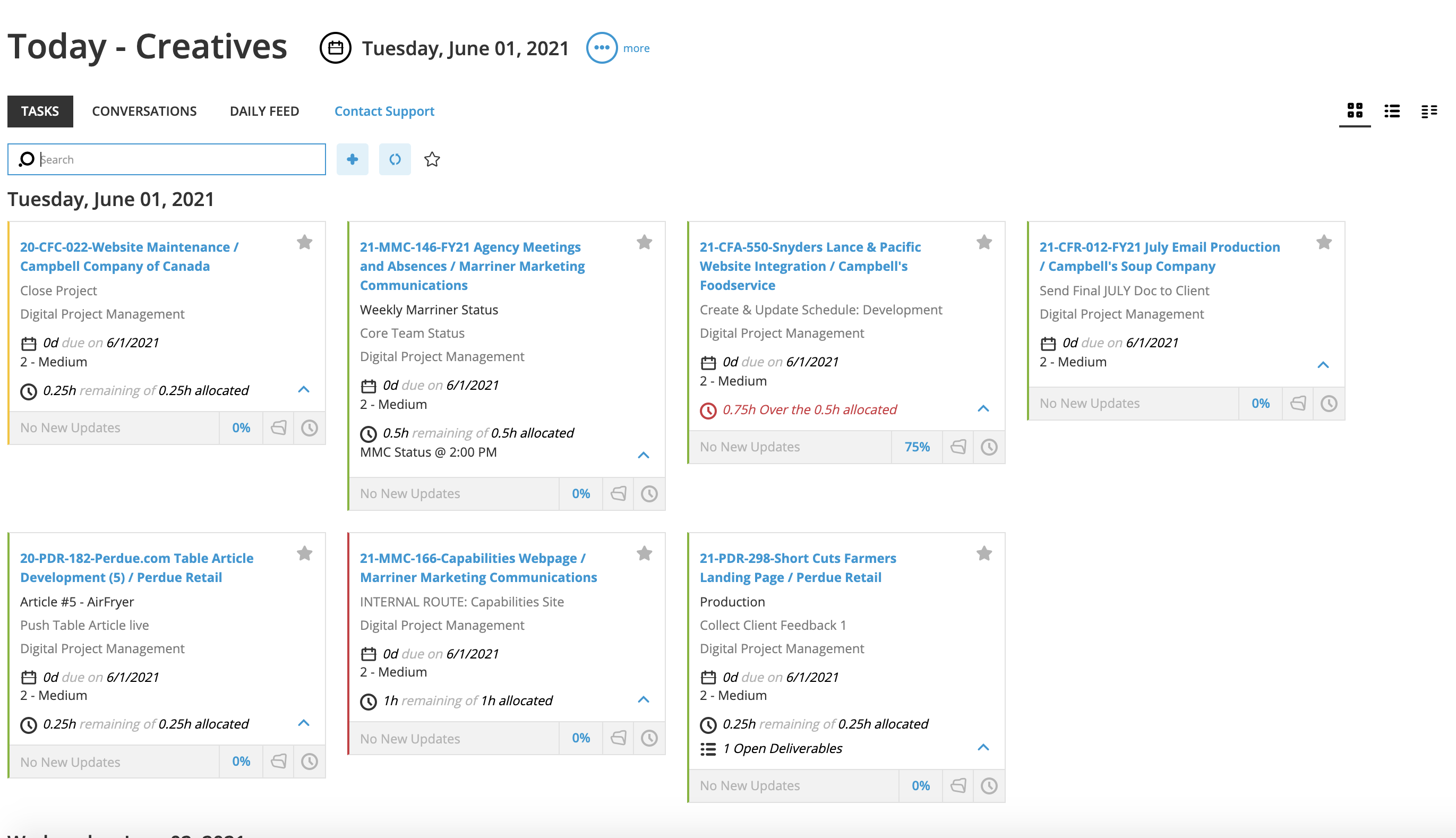
Card View | This is the default view for your tasks. You can click on them for more details about the assignment and project. Along with entering time and completing the task.
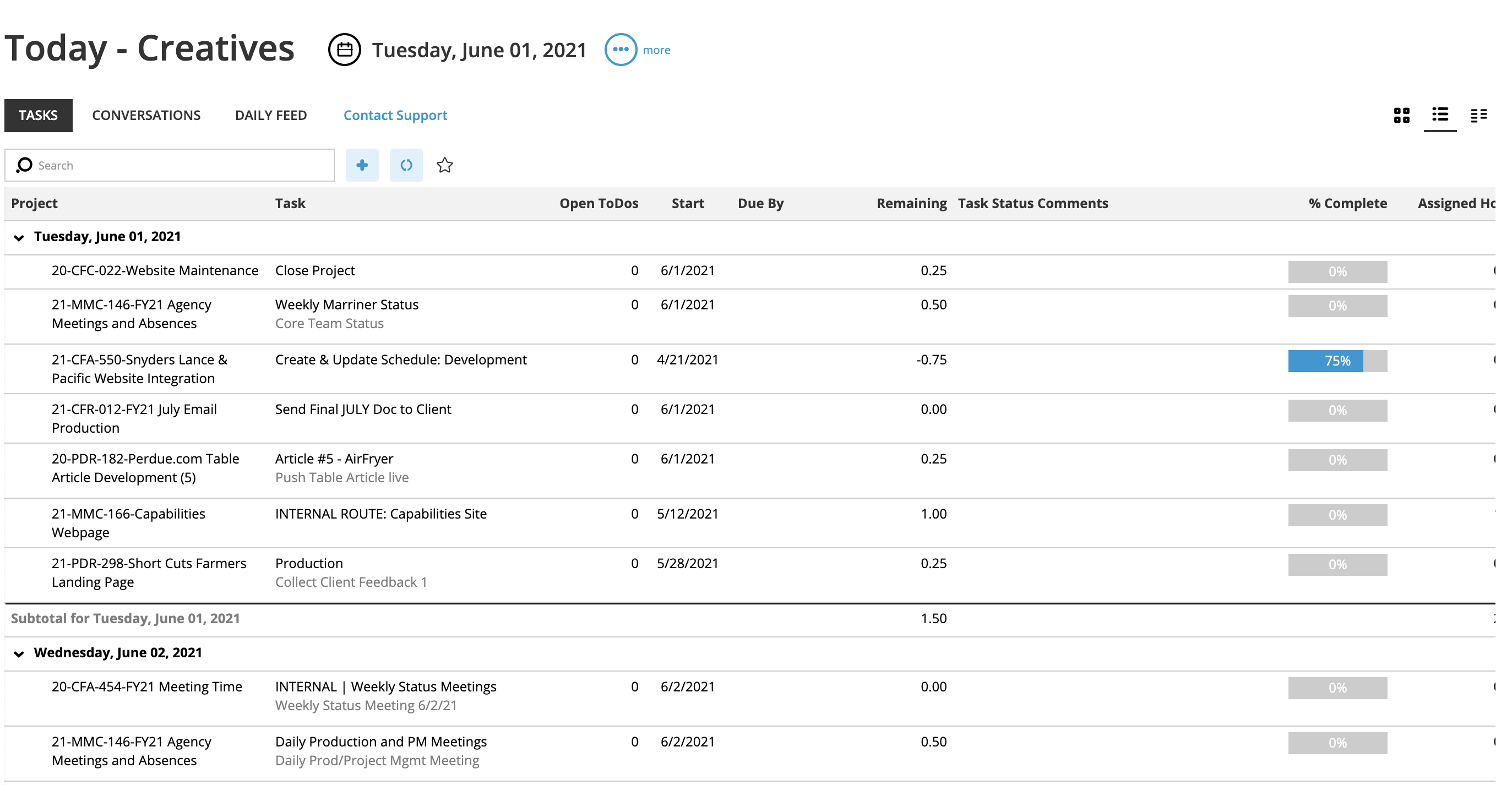
Grid View | Same info as the Card View, except that you can customize the grid to display the assignment details that matter most to you.
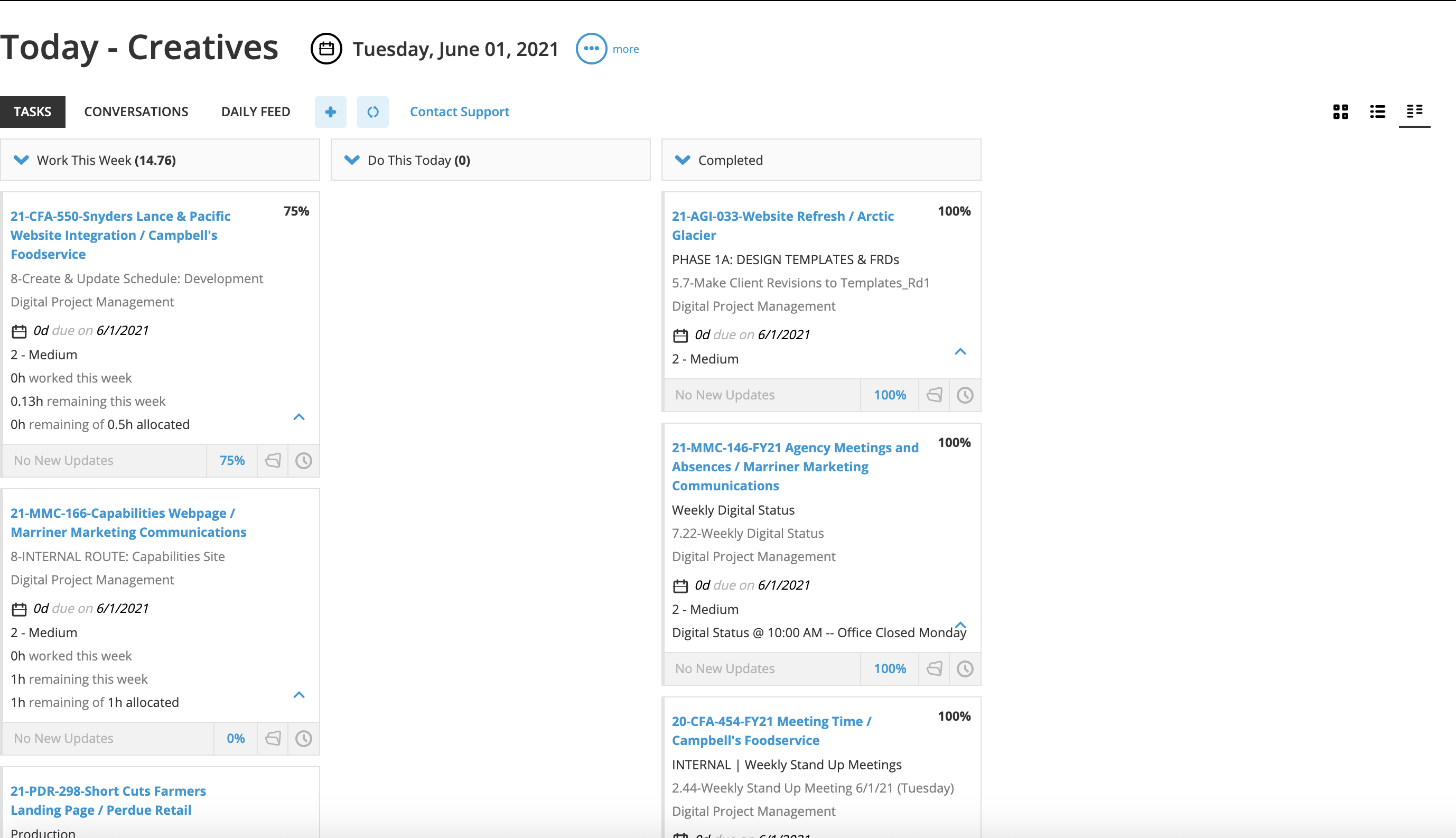
Tile View | This view is unique among the available views and is hidden by default. This view allows you to view completed tasks for the week, as well as tasks in Progress. You can use this view to log time on tasks that may come back after being completed.
Assignment Details
When you click on a task card, the assignment details appear, which is where you can post conversations and view the Project Details. This allows you to stay organized with any/all paperwork by including a tab to upload files, create folders, record miscellaneous costs, and go over project specifications.
.png)
Was this post helpful?
Did you find what you were looking for? Is there anything that needs improvement?
Last modified: Tuesday, June 1, 2021 at 2:43 pm