Integrating MMA's Native Form
Marriner Marketing Automation Native Form Integration
Purpose of using Native form
To maintain existing UI/UX of forms on existing websites instead of embedding Sharpspring forms.
We can use Ajax, CURL, or whatever mode to send data to Sharpspring.
- Create a NativeForm (*not Sharpspring form)
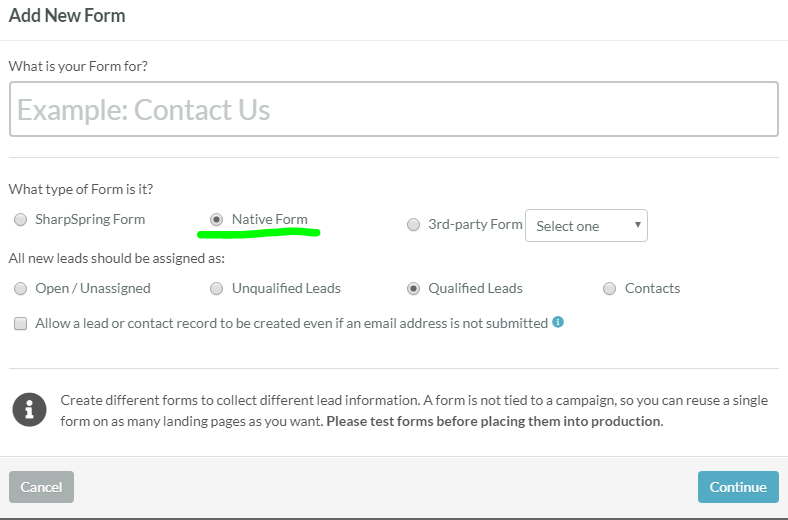
- Review the generated code for Native Forms. This is different from the code generated for the SharpSpring Form type.
You have the option to place the code below an existing HTML form or POST to the BASEURI & ENDPOINT.
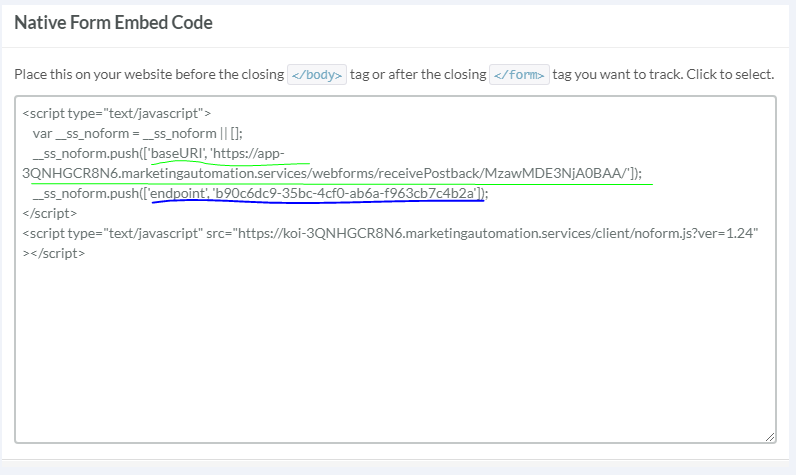
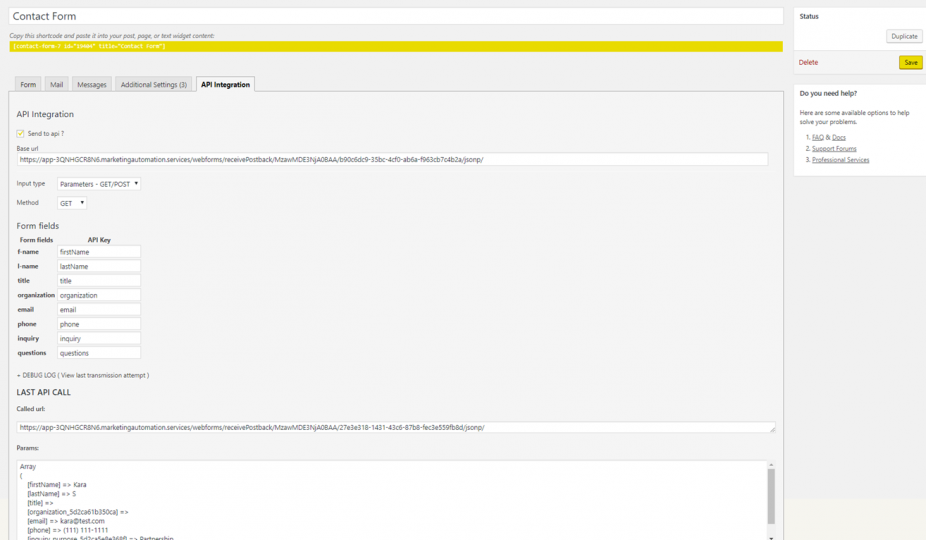
Concatenate both to form, with jsonp at the end
USE a GET method to send the data from the form to Sharpspring MMA
Please note
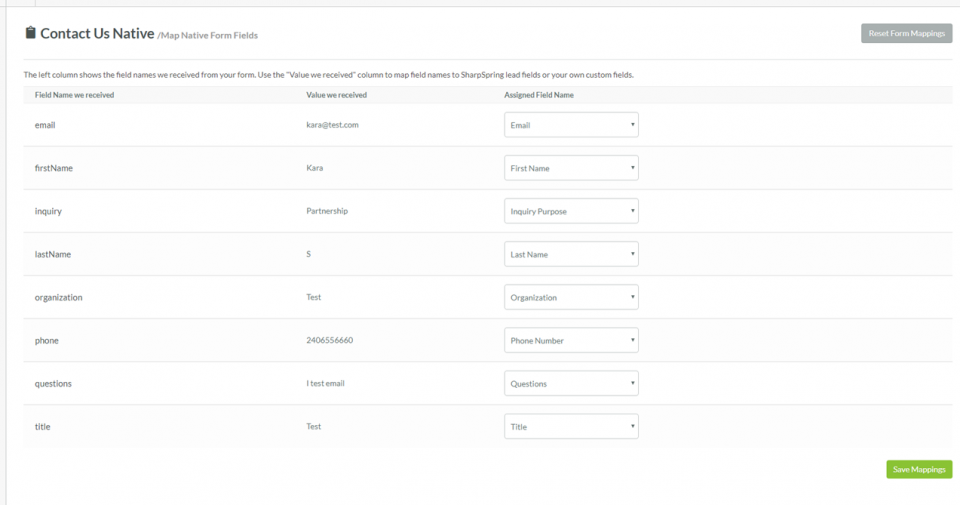
The NativeForm type expects you to send the data first; then you have the option to map your first dataset to create the fields
Screenshot of data mapping
For the Marriner Website, I decided to go with getting Contact Form 7 to send a GET Request to the URI. This way I could maintain the UX on the CTA
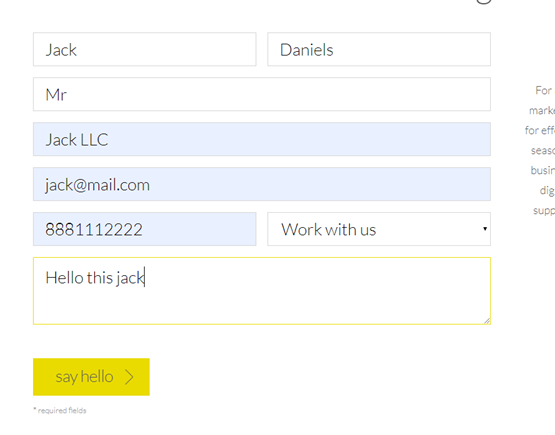
Testing the Form
MMA Records for the form

I hope this will be helpful as we try to implement MMA on other websites.
More Resources
https://help.sharpspring.com/hc/en-us/articles/115001067968-Mapping-Native-and-3rd-Party-Forms
Was this post helpful?
Did you find what you were looking for? Is there anything that needs improvement?
Last modified: Thursday, July 18, 2019 at 12:11 pm