Flipbook
In the past we used to use software to create client’s beloved flipbooks. The software was buggy and any changes often resulted in starting over. Now we are doing this smarter. We purchased a jquery option that is responsive. It is pretty easy to put together now so I wanted to share because, you know, knowledge is power.
For starters, I dropped a knouse flipbook code on the server. When you create a new one you can snag all of these files as a start.
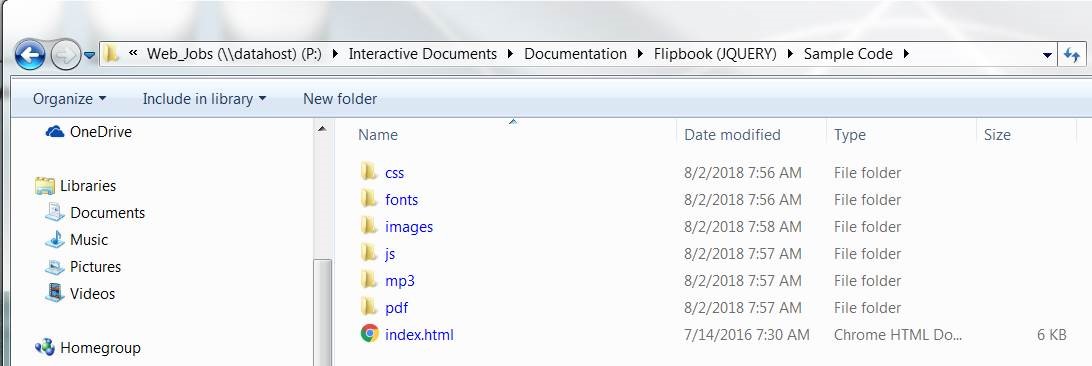
Things to update:
- All images for the pages in images > book labeled page#.jpgImage specs: 1500px width is ideal and make sure you are saving the images down as much as possible and using compression tools to reduce the file sizes without severely reducing quality. This will be important so that the book doesn’t take a lifetime to load.
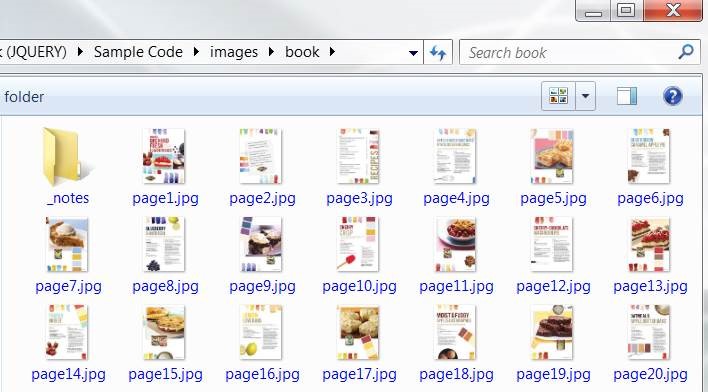
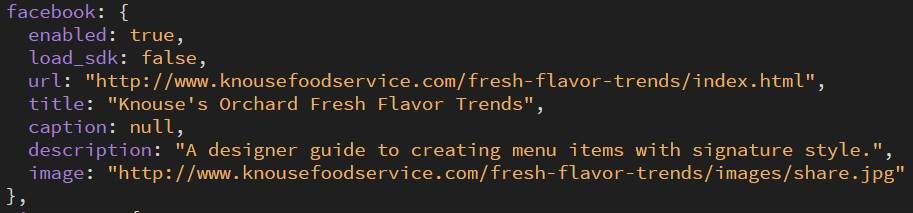
- Add a social share image to the images folder. This is the image that will be used if someone shares out the flipbook to social media. Current specs are 265 x 265px but we should use the best practices at the time since social media platforms are changing from time-to-time.
- A PDF only version of the flipbook goes into the PDF folder. Also optimize this file for the web (reduce file size).
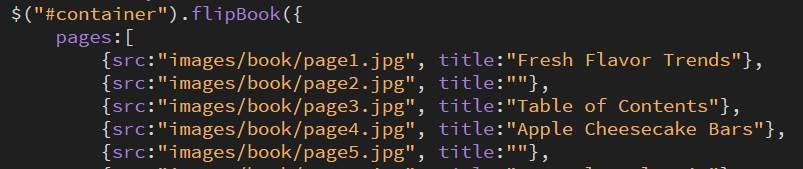
- Finally, the code! Really simple HTML and jquery here.
Update the metadata:

Page info:
Social sharing info:
And last but not least, add in Google Analytics tracking code to the page so that we can track traffic to the page.
Was this post helpful?
Did you find what you were looking for? Is there anything that needs improvement?
Last modified: Thursday, December 5, 2019 at 12:04 pm